
Updating your Aadhaar mobile number has now become easier than ever!
UIDAI has recently launched a brand-new app that allows users to update Aadhaar details online, including their registered mobile number, without visiting an Aadhaar Seva Kendra. Update Mobile number in Aadhaar Online. Easly
If you’ve changed your mobile number or lost access to your old number, updating it on Aadhaar is essential for OTP verification, bank KYC, DigiLocker access, PAN linking, SIM activation, subsidies, and more.
In this article, we explain step-by-step how to change your Aadhaar mobile number online using UIDAI’s latest app, along with FAQs and important tips.
⭐ Why Updating Mobile Number in Aadhaar Is Important
Your Aadhaar-linked mobile number is used for:
- OTP verification for all Aadhaar online services
- eKYC for banks, SIM cards, mutual funds, and UPI
- Accessing DigiLocker & mAadhaar
- Receiving government subsidy notifications
- PAN–Aadhaar linking
If you change your number, updating it in Aadhaar is essential to avoid service interruptions.
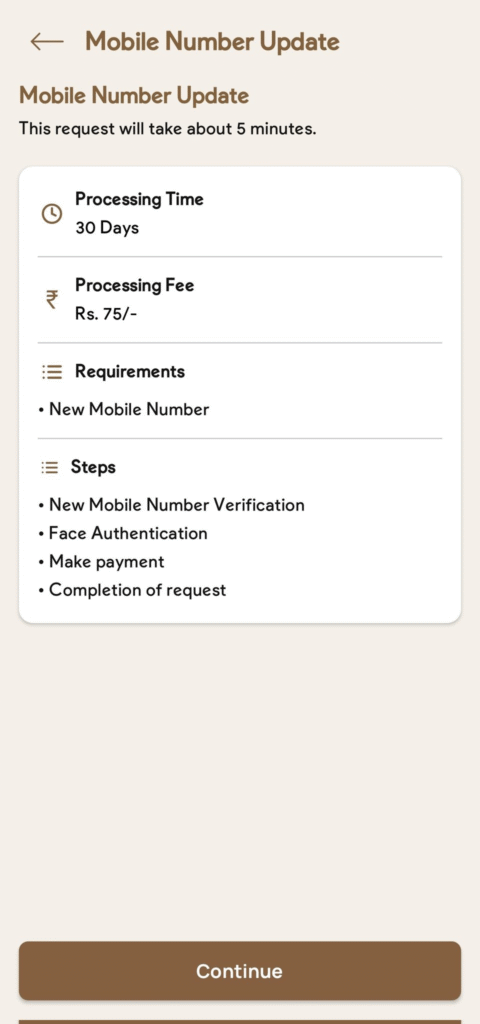
✅ UIDAI Launches New Official App for Aadhaar Updates
UIDAI has released a new Aadhaar Self-Service Update App (2025 update) that allows users to:
✔ Update Mobile Number
✔ Update Address
✔ Update Email
✔ Check Aadhaar Status
✔ Download Aadhaar
✔ Order PVC Aadhaar
✔ Verify Aadhaar
✔ Check Update History
This app is available for both Android and iOS users.
📱 How to Change Aadhaar Mobile Number Online Using UIDAI’s New App (Step-by-Step Guide)
Follow these steps carefully:
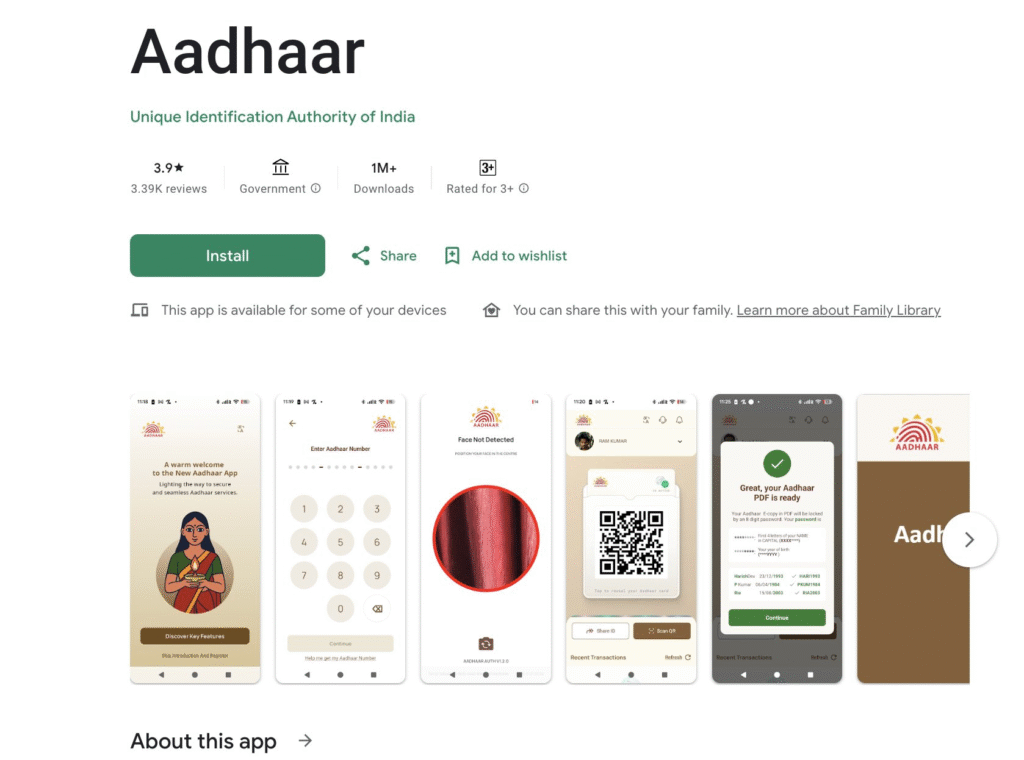
Step 1: Download the Official UIDAI App
- Go to Google Play Store / Apple App Store
- Search for “UIDAI Aadhaar App”
- Download and install the official app
- Ensure it is published by Unique Identification Authority of India (UIDAI)
Step 2: Open the App & Choose “Update Aadhaar”
- Launch the app
- Tap on Update Aadhaar Online
- Select Update Mobile Number
Step 3: Enter Your Aadhaar Number
- Type your 12-digit Aadhaar Number
- Complete the captcha verification
- Tap Next
Step 4: Verify Identity With Face Authentication
The app uses facial recognition (FaceID) for secure verification:
- Allow camera access
- Follow on-screen instructions
- Align your face properly and complete the scan
Once the scan is done, your identity will be verified.
Step 5: Enter Your New Mobile Number
- Type your new mobile number
- Re-enter to confirm
- Tap Next
Step 6: Pay the Update Fee Online
UIDAI charges ₹75 for mobile number update.
You can pay using:
✔ UPI
✔ Debit/Credit Card
✔ Net Banking
Step 7: Confirm and Submit Your Request
- Review details
- Tap Submit
- You will get an Update Request Number (URN) to track the status.
Step 8: Track Your Update Status
Go to:
- UIDAI App → Check Update Status
- Enter your Aadhaar + URN
- You’ll see the real-time status of your request.
Mobile number update usually takes 3–7 days.
📌 Important Requirements to Update Aadhaar Mobile Number Online
To update your Aadhaar mobile number through the new UIDAI app, you need:
- Aadhaar number
- A smartphone with front camera
- Working internet connection
- Valid ID for face authentication
- New mobile number
- ₹50 fee
🔐 Is OTP Required on the Old Mobile Number?
No!
With the new UIDAI app update, OTP on old mobile number is NOT required.
Verification is done through Face Authentication only.
This is extremely helpful for users who have lost or deactivated their old number.
📄 Documents Required
No documents are required.
The update is completed using Face Authentication, which serves as identity verification.
Download now!
Android: https://tinyurl.com/5hex3yay
iOS: https://tinyurl.com/2r43hdnr
You can also update the following details
✔️ Address Update
✔️ Name Update
✔️ Email Update
✔️ Mobile Number Update
📌 FAQs – Aadhaar Mobile Number Update Online
1. Can I update my Aadhaar mobile number without visiting Aadhaar center?
Yes, UIDAI’s new app allows full online update with face authentication.
2. What is the fee for mobile number update?
₹75 (non-refundable).
3. How long does it take to update?
Typically 3–7 working days.
4. Can I update email and address in the same app?
Yes, the UIDAI app supports multiple updates.
5. Do I need my old phone number to receive OTP?
No. OTP is sent only to the new number.
📝 Final Thoughts
With UIDAI’s newly launched mobile app, updating your Aadhaar mobile number online has become quick, secure, and hassle-free. No more waiting at Aadhaar centers — you can complete the entire process at home using just your smartphone.
Whether you changed your number or lost access to your old one, this guide helps you update it in minutes.
If you want more how-to guides, tech updates, and digital help articles, stay tuned to DealTreats.com!